
Opening a second store multiplies customers—and multiplies software mistakes. The billing app that felt fine on one counter often collapses when you need shared catalogues, clean transfers, branch stock and consolidated GST views. This is a practical software for second retail store India checklist: what to decide before the lease is signed, what to configure before day one, and what “done” looks like in week two.

Use it with multi-outlet patterns in multi-outlet POS software, upgrade timing in billing app vs retail ERP, and cost framing in retail billing software price (TCO).
Before you sign the second lease: software decisions
- System of record — Which tool owns live stock and bills for both outlets?
- Same company, two locations — Confirm the product supports branches/godowns without fake “two company files + Excel.”
- Licence math — Extra counters, users and branches priced in writing for 24 months.
- Offline story — Each store must bill through local outages; sync rules clear. See offline vs cloud POS.
- CA pack — How consolidated vs branch-wise sales feed GST prep; align with gst.gov.in guidance via your CA.
If store one still runs accounting-first tools only, read when to switch from Tally to POS/ERP before you clone a painful setup.
Checklist 1 — Shared catalogue (one master, two counters)

- Single item master: name, barcode, HSN/GST rate, unit, MRP/selling rules
- No duplicate SKUs created “just for store 2”
- Price-change policy: central vs store manager override
- Variants (size/colour) tested on both counters
- Dead items archived before they pollute the second store
Dirty masters double in cost when you open a branch. Clean once, then replicate.
Checklist 2 — Opening stock and transfers
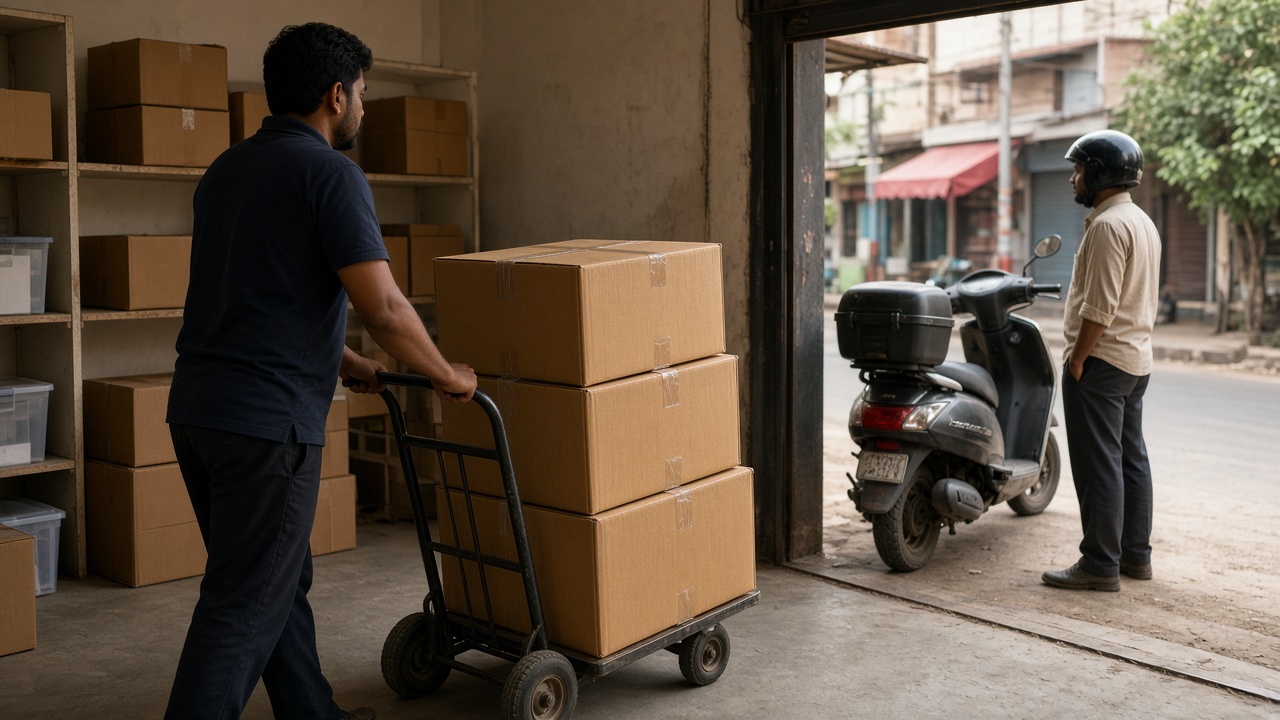
- Physical count at store 1 and store 2 (or transit) on cutover eve
- Opening stock loaded per location—not one blended number
- Transfer document path: store 1 → in-transit → store 2 receipt
- Who can create transfers; who can receive; who can adjust
- Weekly variance review for the first month
Stock linked to bills is non-negotiable—see inventory management with POS. WhatsApp “send 10 boxes” is not a control.
Checklist 3 — People, roles and local responsibility
- Store 2 cashier: bill-only login
- Store manager: discounts, returns, day-end within policy
- Purchase rights: central, local, or hybrid—written down
- Master-edit rights: rare; usually head office / owner
- Training day for returns and overrides before opening week
Copying “everyone is admin” from store 1 into store 2 is how margin disappears twice as fast. Avoid the traps in 12 mistakes when choosing retail POS.
Checklist 4 — Hardware and connectivity per store
- Stable billing device, thermal printer, scanner at each counter
- Spare roll stock and a backup scanner plan
- Internet primary + failover idea (mobile hotspot) for cloud sync
- Bill series / invoice prefixes distinct per store if your CA expects it
- Payment modes mapped identically so consolidated tender reports make sense
Checklist 5 — Reporting and GST handoffs

- Daily: sales by store, by tender, by counter
- Weekly: item movers, low stock, transfer exceptions
- Monthly: consolidated pack your CA actually uses
- Test one full export cycle before store 2’s first filing period ends
- Confirm place-of-supply / branch GSTIN setup with your CA if applicable
More on invoice/report expectations: GST billing software for retail shops. For deeper ops platforms, see retail ERP software.
Week-by-week go-live plan
| When | Focus | Done when… |
|---|---|---|
| T−21 to T−14 | Choose/confirm multi-outlet capable software; lock licences | Written branch + user quote |
| T−14 to T−7 | Clean masters; configure roles; demo transfers | Sample transfer + return succeeds |
| T−3 to T−1 | Count stock; load openings; train store 2 staff | Counts signed; cashiers pass drill |
| Opening week | Parallel vigilance; nightly reconcile store 2 | Sales + stock + tender match within agreed tolerance |
| Days 8–30 | Tighten transfers; review exceptions; CA export rehearsal | First month pack accepted by CA |
ROI for the second outlet often sits in avoided Excel merges and fewer transfer losses—see ROI of retail POS software in India.
Second-store software scorecard
| Capability | Must have | Pass? |
|---|---|---|
| Shared item master + per-store stock | Yes | |
| Inter-branch transfer with receipt | Yes | |
| Role-based access per store | Yes | |
| Consolidated + branch reports | Yes | |
| Offline billing clarity | Yes | |
| GST exports CA can use | Yes | |
| Priced second-counter/branch seats | Yes |
If three or more rows fail, you are not ready to clone store 1’s stack—shortlist again using Tally alternative for retail evaluation habits: demo with your real SKUs.
How Caddayn fits a second-store rollout
Caddayn builds retail shop billing and ERP software for Indian retail operations. Capabilities relevant to multi-store checklists include barcode POS with GST calculation, real-time inventory and low-stock alerts, purchase/supplier tracking, customer history, sales reports, multi-branch reporting patterns and offline POS/billing support described across Caddayn retail materials.
Review Caddayn Biller, then request a demo with store-1 SKU count, planned store-2 bill volume, transfer frequency and who will own masters. Ask to walk a transfer and a consolidated day-end—not only a single-counter sale.
FAQ
What software do I need when opening a second retail store in India?
Software that shares one catalogue, tracks stock per location, supports transfers, roles and consolidated reports—typically multi-outlet POS or retail ERP, not a single-counter billing app alone.
Can I keep separate billing apps per store?
You can, but consolidation, transfers and GST prep usually become manual. Most growing shops regret that within a quarter.
Should store 2 go live on the same day as the lease starts?
Only if masters, openings, hardware and training are finished. A quiet soft opening week beats a chaotic festival launch.
Do both stores need the same GSTIN?
That is a tax structuring question for your CA. Software must support whatever branch/GSTINs you legally run—confirm before configuration.
What is the biggest second-store software failure?
Duplicating item masters and informal stock movement without receipts—then blaming “the software” for wrong inventory.
Conclusion
Treat software for a second retail store in India as an operations project: one catalogue, per-store stock, disciplined transfers, roles, hardware parity and CA-ready reports. Score your stack before you hire cashiers for store 2. To map this checklist onto a retail-focused platform, explore Caddayn’s retail billing and ERP page or start a conversation with your two-store plan in hand.