
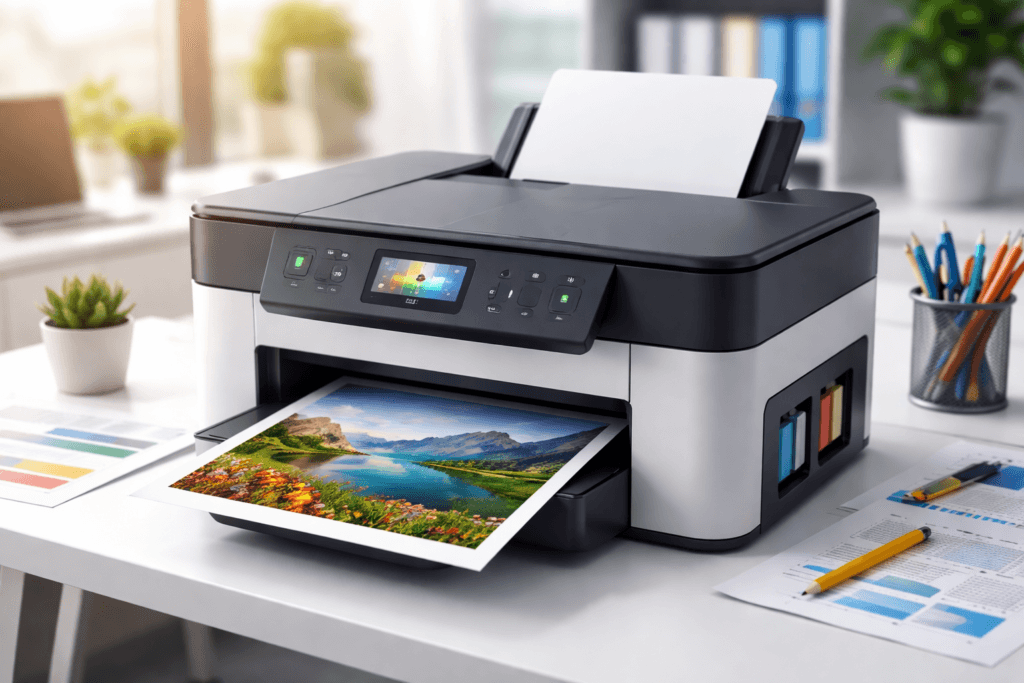
In today’s fast-moving business world, speed and accuracy matter more than ever. Whether it’s printing invoices, bills, reports, or receipts, a reliable printer plays a crucial role in daily operations. For retail shops, supermarkets, and growing businesses, the right printer can significantly improve efficiency and customer experience.
Then connect it to your business:
At Caddayn, we understand how important seamless printing is for billing and inventory systems.
Printer
A printer is an electronic device that converts digital data into physical copies on paper. It connects to computers, laptops, or mobile devices and prints text, images, or graphics using technologies like inkjet, laser, or thermal printing. Printers are widely used in homes, offices, and retail businesses for producing documents, photos, invoices, and receipts. They play a key role in improving productivity, maintainingrecords, and supporting daily operations, especially in billing systems and ERP-based business environments.
Types of Printers
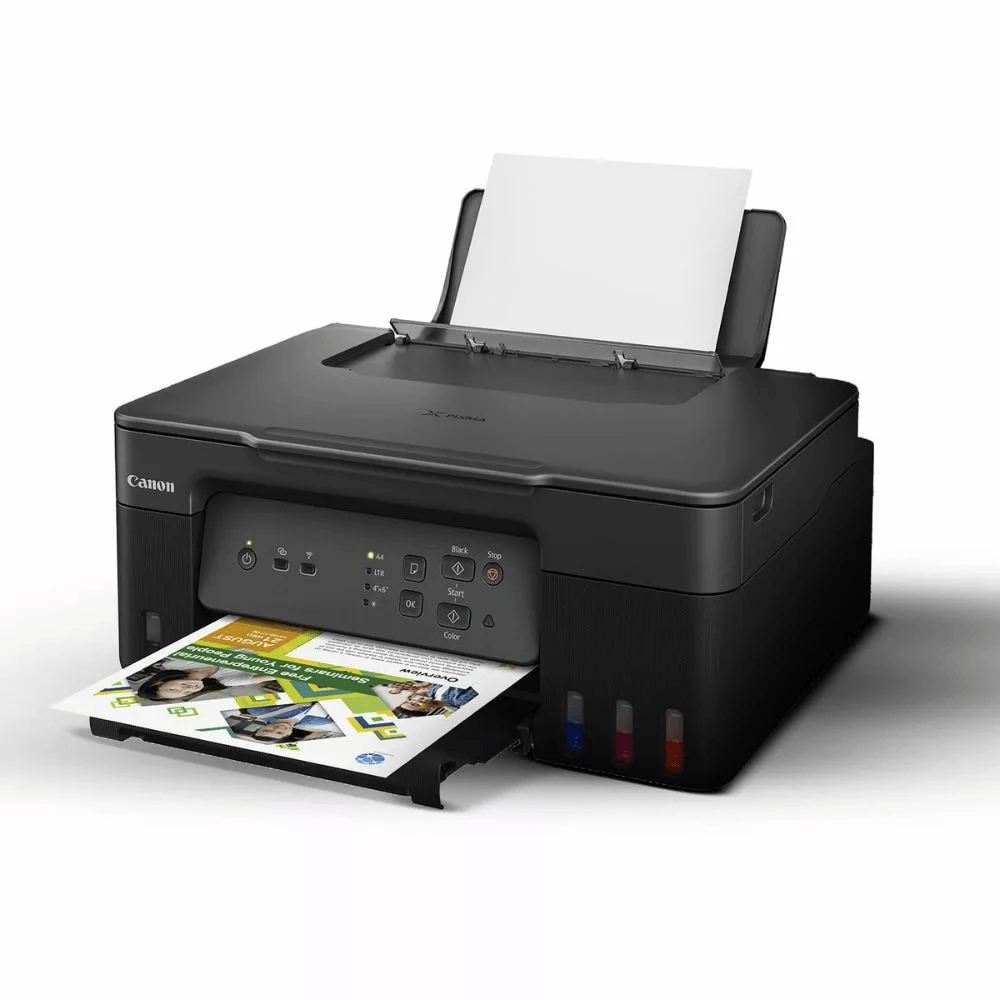
Inkjet Printer
Inkjet Printer
Best for: Inkjet printing is best for low to moderate printing needs where quality matters more than speed.
Pros: Affordable, Good Color Printing
Affordable (Initial Cost)
Inkjet printers are usually cheaper to buy compared to other types like laser printers.
This makes them a good choice for:
- Small businesses
- Startups
- Home offices
You don’t need a big investment to get started.
Good Color Printing
Inkjet printers are known for producing high-quality color prints.
They can print:
- Photos
- Marketing materials (flyers, posters)
- Color invoices and reports
The colors look more vibrant and detailed, which is useful if your business needs visual quality.
Cons: Ink Cost is High
Even though the printer itself is cheap, the ink cartridges are expensive.
- Ink runs out quickly, especially with regular use
- You need to replace cartridges often
- Over time, the total cost becomes high
Example:
If you print daily bills or documents:
- You may spend more on ink than the printer price itself
That’s why inkjet printers are not ideal for heavy or daily printing, especially in billing or POS environments.
HP Smart Tank 589 All-in-One WiFi Colour Printer Up to 4000 Black & 6000 Colour Prints I Print,Scan & Copy for Home Office
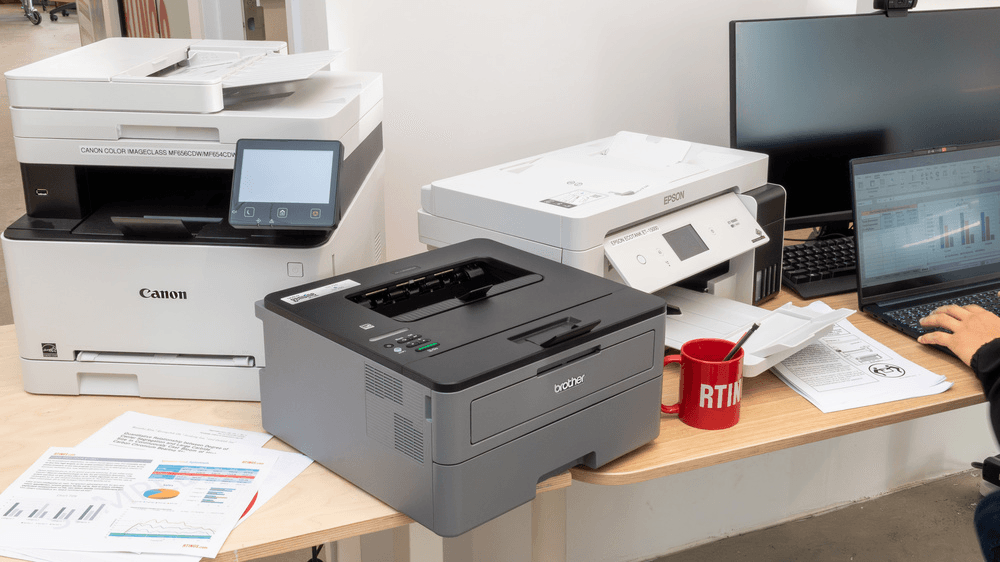
Laser printer
Laser Printer
A laser printer uses laser technology and toner powder (instead of liquid ink) to produce prints. It is designed for speed, efficiency, and high-volume printing, making it very popular in offices and businesses.
Best for: Offices, Bulk Printing
Laser printers are ideal when:
- You print large volumes daily
- You need fast output
- You want consistent quality text documents
Example: Printing invoices, reports, records, or bulk documents in an office.
Pros: Why businesses prefer laser printers
1. Fast Printing Speed
- Laser printers can print many pages per minute
- Perfect for busy environments where time matters
2. Sharp and Professional Text
- Produces clear, crisp text
- Ideal for:
- Official documents
- Reports
- Business invoices
3. Low Cost per Page
- Toner lasts much longer than ink
- Cost per print becomes very low over time
This makes it cost-effective for high-volume usage
Cons: Higher Initial Cost
1. Expensive to Buy
- Laser printers cost more upfront than inkjet printers
- Toner cartridges are also costly initially
But:
- This is a one-time investment
- Over time, it becomes cheaper due to lower running costs
Best laser printer : Canon
Color imageCLASS MF753Cdw/MF751Cdw 0
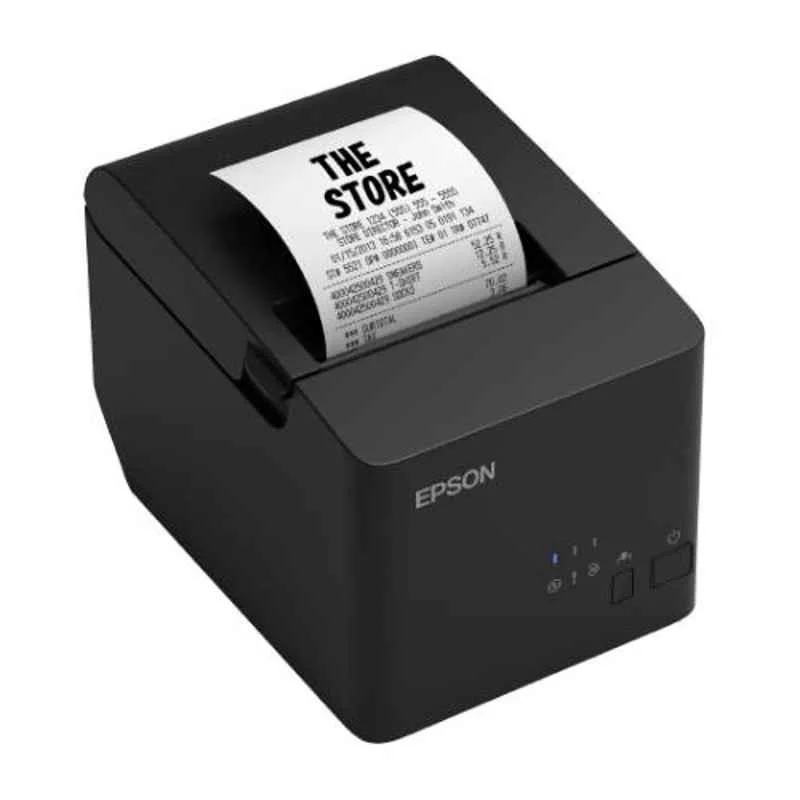
Thermal Printer
Thermal printer
A thermal printer prints by using heat on special thermal paper instead of ink or toner. When heat is applied, the paper changes color to form text or images.
Best for: Billing, POS, Receipts
Thermal printers are perfect for:
- Retail shops
- Supermarkets
- Restaurants
- Billing counters
Example: Printing receipts instantly after a sale
Pros: Why it’s best for business billing
1. Very Fast Printing
- Prints receipts in seconds
- No delay → faster customer checkout
2. No Ink Required
- No cartridges, no refilling
- Lower maintenance compared to inkjet/laser printers
This reduces long-term hassle and cost
3. Reliable and Simple
- Fewer moving parts → less chance of failure
- Easy to use and maintain
Cons: Limited to Thermal Paper
1. Requires Special Paper
- Can only print on thermal paper rolls
- Cannot use normal A4 sheets
2. Print Fades Over Time
- Receipts may fade after months/years
- Not ideal for long-term document storage
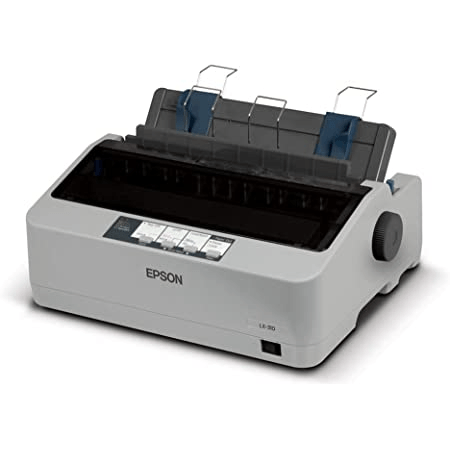
Dot Matrix Printer
Dot Matrix Printer
A dot matrix printer is an impact printer that works by striking an inked ribbon against paper to create characters using tiny dots.
It prints by physical contact, unlike inkjet or laser printers.
Best for: Multi-copy invoices
Dot matrix printers are especially useful when:
- You need duplicate or triplicate copies
- You use carbon paper or continuous paper
Example:
- One print = customer copy + office copy + records copy
This is why they are still used in:
- Transport companies
- Warehouses
- Government offices
Pros: Why it’s still used
1. Can Print Multiple Copies at Once
- Prints 2–4 copies in a single go
- No need to print the same document multiple times
2. Low Running Cost
- Ribbon ink is cheap and long-lasting
3. Durable and Long-lasting
- Works well in rough environments
- Can handle continuous printing
Cons: Limitations
1. Noisy Operation
- Makes noticeable sound while printing
- Not suitable for quiet environments
2. Lower Print Quality
- Text is not as sharp as laser printers
- Not suitable for professional-looking documents
3. Slow Printing Speed
- Much slower compared to modern printers
Used in Traditional Businesses
Dot matrix printers are commonly found in:
- Older billing systems
- Businesses using manual or legacy processes
- Industries requiring physical duplicate records
However:
Modern businesses are shifting to thermal or laser printers for better speed and efficiency.
Why Printers Matter for Businesses
Printers play a crucial role in day-to-day business operations, especially in retail, wholesale, and service industries. They are not just devices for printing—they directly impact efficiency, accuracy, and customer satisfaction.
Faster Billing = Better Customer Experience
A fast printer, especially a thermal receipt printer, ensures quick billing at the counter. Customers don’t like waiting in long queues—faster receipts mean smoother checkout and happier customers. This directly improves customer experience and increases repeat business.
Accurate Documentation
Printers help generate clear and error-free documents such as invoices, bills, and reports. Printed records reduce confusion compared to handwritten notes and ensure every transaction is properly recorded and traceable.
Professional Invoices
A printed invoice with your company logo and structured format creates a professional image. It builds trust with customers and reflects the credibility of your business.
Legal Compliance (GST Invoices)
Businesses in India must follow GST regulations. Properly printed invoices ensure that all required details—GST number, tax breakdown, and totals—are correctly documented, helping you stay compliant and avoid legal issues.
Inventory & Reporting Support
Printers allow you to generate physical reports for inventory, sales, and purchases. This is useful for audits, stock verification, and decision-making, especially when digital access is limited.
Final Insight
A good printer combined with ERP software ensures smooth business operations.
Printer + ERP Integration
Printer integration with ERP is where real business efficiency begins. Instead of manually preparing bills or reports, everything is automatically generated and printed in real time—saving time and eliminating errors.
POS Billing → Instant Receipt Printing
When a sale is completed in your ERP system, the printer instantly generates a receipt. There’s no need to export or manually print files. This speeds up checkout, reduces queues, and ensures every transaction is recorded accurately.
GST Invoices → Properly Formatted Prints
ERP systems automatically format invoices with all required GST details—tax breakdown, GSTIN, totals, and item-wise pricing. When printed, these invoices are compliant, clean, and ready for legal and accounting purposes.
Reports → Daily & Weekly Printouts
Need a quick overview of your business? ERP lets you print sales reports, inventory summaries, and purchase details anytime. This is especially useful for audits, staff reviews, or offline analysis.
Custom Templates → Branded Invoices
With ERP, you can design your own invoice templates—add your logo, choose layouts, and customize fields. Every printed document reflects your brand identity, making your business look more professional and trustworthy.
Example
With Caddayn ERP, printers can be seamlessly integrated to generate fast and accurate bills, helping businesses reduce errors and save time.
Explanation:
Caddayn ERP connects directly with your billing and inventory system. The moment a transaction happens, the printer automatically produces the correct output—whether it’s a receipt, GST invoice, or report.
This eliminates manual steps, avoids calculation mistakes, and ensures consistency across all documents. In short, it turns your billing process into a fast, automated workflow—allowing business owners to focus more on growth rather than operations.
Features to Look for in a Printer
Choosing the right printer is essential for smooth business operations. Here’s a clear explanation of the key features:
Speed (Pages Per Minute – PPM)
Speed tells you how fast a printer can produce pages. A higher PPM means quicker billing and less waiting time for customers. For busy retail shops or offices, a fast printer is crucial to maintain efficiency.
Print Quality (DPI – Dots Per Inch)
Print quality determines how clear and sharp your documents look. Higher DPI gives better clarity, which is important for professional invoices, reports, and documents. Poor quality prints can affect your brand image.
Connectivity (USB, Wi-Fi, Bluetooth)
Connectivity defines how the printer connects to devices:
- USB for direct connection
- Wi-Fi for multiple users in a network
- Bluetooth for mobile printing
Better connectivity allows flexibility and easy integration with systems like POS and ERP.
Cost Per Print
This is the cost of printing a single page. Even if a printer is cheap initially, high ink or toner costs can make it expensive in the long run. Businesses should focus on printers with a low cost per print to save money over time.
Paper Type Support
Different businesses need different types of printing:
- Retail shops → thermal receipts
- Offices → A4 documents
- Warehouses → labels and barcodes
Choosing a printer that supports your required paper type ensures smooth daily operations.
Durability (Duty Cycle & Build Quality)
Durability refers to how much workload a printer can handle. A printer with a high duty cycle can print thousands of pages per month without issues. This is important for businesses that rely heavily on printing.
Final Tip
A good business printer should balance speed, quality, connectivity, cost, and durability—ensuring reliable performance and long-term savings.
Tips to Choose the Right Printer
Choosing the right printer depends on your business type and daily needs. Here’s a simple breakdown to help you decide:
🏪Small Shop → Thermal Printer
For small retail shops, supermarkets, or billing counters, thermal printers are the best choice.
They print receipts quickly, don’t require ink, and have low maintenance costs. This makes them perfect for fast billing and everyday transactions.
Office → Laser Printer
For offices that handle documents, reports, and paperwork, laser printers are ideal.
They offer high speed, sharp text quality, and lower cost per page for bulk printing—making them efficient for regular office use.
Color Needs → Inkjet Printer
If your business requires color printing—like brochures, product images, or marketing materials—inkjet printers are the best option.
They provide better color accuracy and image quality compared to most laser printers.
High Billing Volume → Thermal + ERP
For businesses with heavy billing (supermarkets, wholesale, fast-moving retail), a thermal printer combined with ERP software is the smartest choice.
Explanation:
When integrated with an ERP system like Caddayn ERP, the billing process becomes fully automated. Every sale instantly generates a receipt, stock updates automatically, and records are stored without manual effort.
This setup:
- Speeds up billing significantly
- Reduces human errors
- Handles large customer volumes
- Improves overall business efficiency
Final Tip
Don’t just choose a printer—choose a solution that fits your workflow. The right combination of printer and software can save time, reduce costs, and improve customer experience.
Future of Printing
Printing is evolving fast, especially with digital transformation in businesses. Modern printers are no longer just hardware—they are becoming smart, connected tools that integrate with your entire workflow.
Cloud Printing
Cloud printing allows you to print documents from anywhere using the internet. Instead of connecting directly to a printer, your files are sent through cloud services.
Why it matters:
- Print from any device (laptop, mobile, tablet)
- Access printers across multiple locations
- Ideal for businesses with branches or remote teams
This reduces dependency on physical connections and increases flexibility.
Wireless Printing
Wireless printing removes the need for cables. Printers can connect via Wi-Fi or Bluetooth, allowing multiple users to access them .
Benefits:
- Easy setup and less clutter
- Multiple users can print at the same time
- Works well with POS systems and office networks
Perfect for modern workplaces and retail environments.
Mobile POS Printing
Mobile POS (Point of Sale) printing allows receipts to be printed directly from smartphones or tablets.
Use cases:
- Restaurants and cafes
- Delivery services
- Field sales teams
This enables on-the-go billing, improving speed and convenience for both staff and customers.
Smart Integration with ERP Systems
The future of printing lies in automation through ERP integration. Printers will work seamlessly with business software like Caddayn ERP.
How it helps:
- Automatic bill and invoice generation
- Real-time inventory updates after each print
- Instant report printing (sales, stock, GST)
- Custom templates with branding
This turns printing into a fully automated process rather than a manual task.
Final Insight
The future of printing is smart, connected, and automated. Businesses that adopt cloud-enabled and ERP-integrated printing solutions will gain a clear advantage in speed, efficiency, and scalability.
Conclusion
Choosing the right printer is not just a technical decision—it directly impacts how efficiently your business runs. From faster billing to accurate documentation, the right printing solution helps reduce delays, minimize errors, and create a better experience for your customers. Whether you manage a small shop or a growing retail chain, investing in a reliable printer setup is a step toward smoother daily operations.
But the real value comes when printing is combined with smart software.
At Caddayn, we go beyond just providing software—we offer complete ERP solutions with seamless printer integration. This means your billing, inventory, reports, and invoices all work together in one system, automatically and efficiently.
Explanation:
With Caddayn, every transaction can instantly generate a bill, update stock, and maintain records without manual effort. This reduces operational stress, improves accuracy, and allows business owners to focus on growth instead of routine tasks.
Final Takeaway
If you want to save time, reduce errors, and scale your business efficiently, the right combination of printer + ERP is the key. And that’s exactly what Caddayn delivers—a smarter, faster way to run your business.